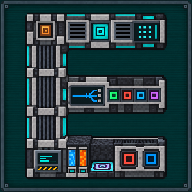
Your first Quantum Ore Refinery
The Quantum Ore Refinery runs Mekanism’s five ore-processing chains inside one 10 × 4 × 3 structure. This guide takes you through your first one, in the order you will need things. Every detail links to the full page.
1. Build the structure
Section titled “1. Build the structure”The structure is a fixed drawing that you build layer by layer: tap Layer by layer above to see each one, and tap any block to see its name. The full drawing, the block counts and every recipe are on Structure and parts.
- Place the Quantum Ore Refinery Controller first. It sits on the bottom front row, second block from the left as you face it, and turns to face you when you place it: the structure stands behind it and to its right.
- Build the rest: casing, pillars, girders, conveyors, the ports (at least five Input Ports, at least one Energy Port and at most one Output Port, which a Quantum Module can replace, see step 6), seven process modules, four tank cells of two blocks each, and as many accelerators as you like (up to eight). An accelerator place may also hold a plain casing.
- While something is wrong, the controller’s screen says which block is wrong or missing and where. When the last block goes in, the screen says “Multiblock formed” (and redstone dust runs along the edges, if Mekanism’s effect is on).
2. Give it energy and ore
Section titled “2. Give it energy and ore”- Bring energy to an Energy Port (Joules or Forge Energy, from a cable or an energy block).
- Feed ore to an Input Port in its default Items mode, or put ore in the nine ore slots by hand.
- Give the ingots a way out: take them from the Output Port with a pipe, hopper or chest placed against it, or use the Quantum Module of step 6. The refinery needs one of the two: with neither, it forms but the screen reads “No output” and nothing is worked.
Levels x1 and x2 need no chemical at all, but with the default settings the refinery does not start yet: it waits for everything the x5 needs (the screen reads “Waiting for level”). Step 3 shows how to make it work at once.
3. Choose how it works
Section titled “3. Choose how it works”The Home screen has two controls (details):
- Level cap (x1 to x5, x5 until you click): the most the machine may work at.
- Always run, OFF by default. OFF: it waits until the tanks hold everything the capped level needs. ON: it works at the best level up to the cap that its tanks cover, and never below x2 unless you capped it at x1.
4. Add the chemicals for x3 to x5
Section titled “4. Add the chemicals for x3 to x5”Switch other Input Ports with a Configurator (sneak + right click): one to Fluids for water, and one to Gases for oxygen, hydrogen chloride and sulfuric acid (a single Gases port takes all three; any other chemical is refused). Per iron ore, with Mekanism’s default recipes:
| Level | Ingots from one iron ore | Taken from the tanks |
|---|---|---|
| x3 | 3 | 200 mB oxygen |
| x4 | 4 | 200 mB hydrogen chloride, 800 mB oxygen |
| x5 | 5 | 200 mB sulfuric acid, 5,000 mB water, 1,000 mB hydrogen chloride, 1,000 mB oxygen |
Resources are taken only when a job ends. The four stocks hold 3,000,000 mB of water, 600,000 mB of hydrogen chloride, 600,000 mB of oxygen and 120,000 mB of sulfuric acid.
5. Make it fast
Section titled “5. Make it fast”Each accelerator place that holds an Ore Refinery Accelerator makes a job shorter. At x5 a job takes 200 ticks (10 seconds) with none and 4 ticks with all eight; lower levels are quicker. Try it:
6. Send the ingots to your network (optional)
Section titled “6. Send the ingots to your network (optional)”Add the Ore Refinery Quantum Module at the output end of the structure, in one of two cells only: the place of the Output Port, or the cell right above it. Put it nowhere else, and use one module at most (see Structure and parts). Then choose a frequency on its screen: the ingots then go to a Quantum (Inventory) frequency or into a QIO network, every half second, through a buffer of 64 stacks. Nothing is lost when the destination is full. See The Quantum Module. If the structure keeps its Output Port too, the port is the spare buffer: what the module’s buffer cannot hold goes out by the port.
- Quantum Ore Refinery: the interface, automation and troubleshooting.
- Mine far away with the Quantum Digital Miner: feed the refinery from a miner.
Written from the mod's own wiki and data files (05759a70, 2026-11-07).Mod v1.3 for Minecraft 1.21.1 (NeoForge, Mekanism 1.21.1-10.7.19.85) and Minecraft 1.20.1 (NeoForge, Mekanism 1.20.1-10.4.16.80).Block and item pictures are drawn from the game's models and textures; Mekanism's are under the MIT licence.Not an official Minecraft product, not approved by or associated with Mojang or Microsoft.