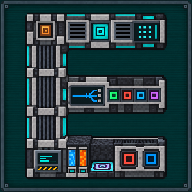
Mine far away with the Quantum Digital Miner
The Quantum Digital Miner is the Digital Miner’s endgame successor: the same filters and settings, a radius up to 128 blocks and four times the mining speed (both server settings). The Digital Miner Companion is the remote that goes with it.
1. Craft and place the miner
Section titled “1. Craft and place the miner”- Gather the ingredients (recipe). A Digital Miner goes into it: its upgrades and stored items travel into the new machine, its filters and settings do not.
- Place it and give it power: its own ports, or a quantum frequency (step 3).
- Right-click it, then click Config (or shift + right-click the machine): set the radius, the Y range, the filters, Silk touch, Auto-eject and Auto-pull, and inverse mode, with the same screen and rules as the Digital Miner.
2. Collect what it mines
Section titled “2. Collect what it mines”The ports have the Digital Miner’s fixed layout: items in on top, items out through the centre of the upper rear face, energy on the bottom (also left and right). For the simplest setup, put a chest directly against the rear port and set Export to Local and Auto-eject to ON.
3. Or go quantum
Section titled “3. Or go quantum”In the Quantum link column, choose the source for Energy, Import and Export independently: Local, a Quantum frequency (shared with your Quantum Entangloporters) or QIO. A Quantum frequency holds one item type and one energy pool at a time. Then click Start.
4. Control it from anywhere
Section titled “4. Control it from anywhere”- Shift + right-click the miner with the Companion to link it.
- Right-click anywhere to open the Companion. On the Mining tab, add filters (shift + right-click blocks in the world) or Pull the machine’s own, then Scan to count what they would currently mine. A scan never loads a chunk and never starts the machine.
- Push the draft to the machine (only while it is stopped and reset), or use Start / Stop / Reset on the Digital Miner tab.
The Companion works at any distance and in any dimension, as long as the miner’s chunk is already loaded and Mekanism’s security lets you in. Its LED tells you the state at a glance: grey offline or unlinked, red not ready, blinking amber working, dim amber paused, green finished.
5. Move to a fresh zone
Section titled “5. Move to a fresh zone”Once its zone is fully mined, a Quantum Digital Miner can move to a neighbouring zone it has never mined:
- Automatic: drawn at random among up to 8 free neighbouring zones.
- Manual: placed in front of you, past a safety margin of 1 to 8 blocks (3 by default).
The move costs 80 MJ by default, taken from the Companion’s own battery: charge it in any Mekanism charger or energy cube first. The miner lands on a free 5 × 5 stone platform.
- Your first Quantum Ore Refinery: turn the ore into up to five ingots each.
- Notifications and quick filters of the miner.
Written from the mod's own wiki and data files (05759a70, 2026-11-07).Mod v1.3 for Minecraft 1.21.1 (NeoForge, Mekanism 1.21.1-10.7.19.85) and Minecraft 1.20.1 (NeoForge, Mekanism 1.20.1-10.4.16.80).Block and item pictures are drawn from the game's models and textures; Mekanism's are under the MIT licence.Not an official Minecraft product, not approved by or associated with Mojang or Microsoft.