Getting started
Rules that apply to every machine in Mekanism: Engineering, not just one of them.
Side configuration
Section titled “Side configuration”Every machine in the mod has Mekanism’s own side configuration (right-click with the Configurator, or open the machine’s screen), except five:
- the Quantum Digital Miner and the Petrogenic Synthesis Plant, which have fixed ports, like Mekanism’s own Digital Miner;
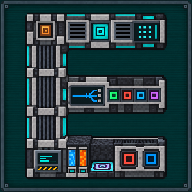
- the Quantum Ore Refinery, whose doors are the port blocks of its structure (eight in the drawing) (sneak + right-click an Input Port with a Configurator to turn it between items, fluids and gases; a plain right-click shows its mode);
- the Quantum Network Controller, a read-only screen with no ports at all (the Quantum Network Tablet is an item);
- the Basic Time Overclocker, whose six faces are the faces of its screen: you switch each one on or off there.
The Alloy Forge and the Circuit Forge, with their factories, have Mekanism’s side configuration for items and energy; their orange faces are the ones that take the reservoirs’ items.
On a multiblock machine (for example the Industrial Fluid Pump or the Petrogenic Synthesis Plant), the Configurator works on any face you can see, including the outer structure blocks, not only the main block: clicking a structure block is handled the same as clicking the machine itself.
Installing upgrades
Section titled “Installing upgrades”Install a Mekanism upgrade (Speed, Energy, Filter, Anchor, and so on) by sneaking and right-clicking the machine with the upgrade in your hand, the same gesture Mekanism’s own machines use. This works on any block of the machine, including the outer blocks of a multiblock.
The Basic Time Overclocker takes no upgrades. Some items install differently and are not placed through the Upgrades tab: the Source Stabilizer Upgrade (Industrial Fluid Pump) and the plant modules (Petrogenic Synthesis Plant) go in with the same sneak-right-click gesture, but into their own dedicated slot rather than the general upgrade list. See each machine’s own page for details.
Security and frequencies
Section titled “Security and frequencies”Machines with an owner (most of the mod’s machines) use Mekanism’s own security system: Public, Trusted or Private, set from the machine’s screen or from Mekanism’s Security Desk. The Quantum Energy Receivers, the Quantum Chargepad, the Quantum Digital Miner, the Quantum Network Controller and the Quantum Ore Refinery’s Quantum module use Mekanism’s own Quantum Entangloporter (Inventory) frequencies: the same frequency list and the same Public/Trusted/Private visibility as a regular Entangloporter. The Radioactive Quantum Entangloporter has radioactive frequencies of its own, with the same Public/Trusted/Private rules (see its page).
Broken machines keep their data
Section titled “Broken machines keep their data”Breaking a machine with a pickaxe (or another approved way of removing it) drops an item that keeps its data: owner, security setting, redstone control mode, side configuration, stored energy, items and fluids, and machine-specific state (for example a Quantum Energy Receiver’s chosen face, or a Precision Upgrade Controller’s vault) all come back with it. Placing it again restores that state.
Frequencies are the exception. A Quantum Energy Receiver, a Quantum Chargepad or a Quantum Ore Refinery Controller never carries its frequency in the item: you choose it again on its screen after placing it. A Quantum Digital Miner keeps its frequencies and links only when its owner breaks it. This way nobody can pick up your block and use your private network.
No chunk loading
Section titled “No chunk loading”No machine loads chunks by itself. The Digital Miner Companion, the Precision Upgrade Controller, the Quantum Network Controller and the Quantum Network Tablet only read chunks that are already loaded, and say so when one is not. The Quantum Ore Refinery never loads a chunk to check its structure. The machines that accept Mekanism’s Anchor Upgrade (the Quantum Digital Miner, the Industrial Fluid Pump and the Petrogenic Synthesis Plant) keep chunks loaded only when you install one, exactly as Mekanism’s own machines do.
See also
Section titled “See also”Configuration for every server setting, and the FAQ for common questions.
Written from the mod's own wiki and data files (05759a70, 2026-11-07).Mod v1.3 for Minecraft 1.21.1 (NeoForge, Mekanism 1.21.1-10.7.19.85) and Minecraft 1.20.1 (NeoForge, Mekanism 1.20.1-10.4.16.80).Block and item pictures are drawn from the game's models and textures; Mekanism's are under the MIT licence.Not an official Minecraft product, not approved by or associated with Mojang or Microsoft.